
Learn how to create your first tours on Userorbit and start tracking your product adoption.
Product Tours are a great way to onboard new users and showcase your app's features. With Userorbit's Product Tour feature, you can easily guide users through your app without any coding. Let's walk through how to set up your first tour!
Getting Started
First, head over to the Userorbit dashboard and navigate to the Product Tours section. Click the "Create New Tour" button to begin.

Design Your Tour
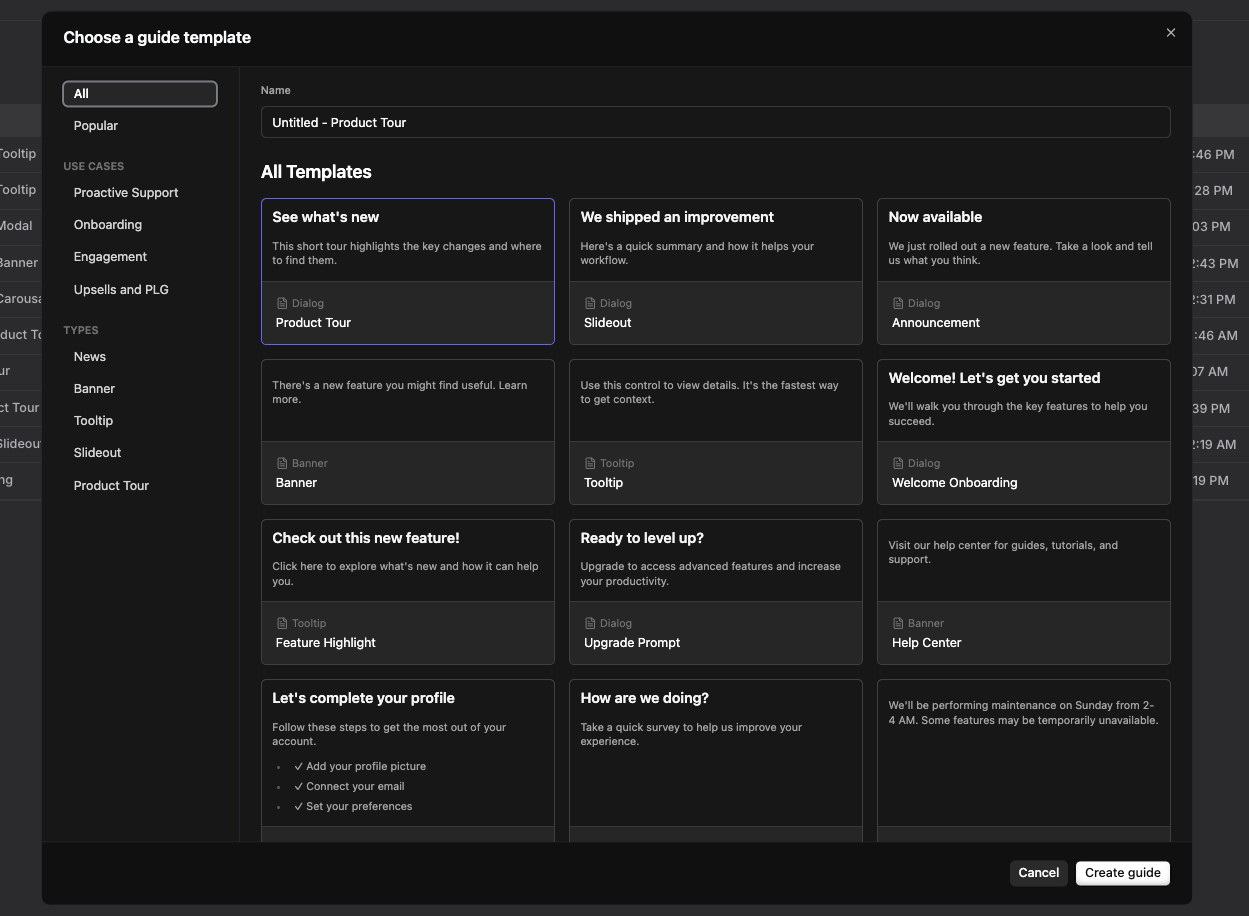
Name Your Tour
Give your tour a catchy title and brief description. Remember, users will see this when you share the tour, so make it clear and enticing!
Choose Your Starting Point
Select the page where you want your tour to begin. This is usually your app's main dashboard or a key feature page.
Add Tour Steps
Now for the fun part - adding steps to your tour! You have three options:
Posts: Great for introducing new sections or concepts
Pointers: Perfect for highlighting specific UI elements
Video Pointers: Add a personal touch with short video explanations
For each step, you can:
Add text content (keep it concise!)
Insert images or GIFs
Embed videos
Personalize with user attributes
Configure Tour Settings
Before launching, configure your tour settings:
Targeting: Choose who sees the tour (e.g., new users, specific user segments)
Trigger: Decide when the tour starts (e.g., on page load, after a specific action)
Appearance: Customize colors to match your brand
Completion: Add a celebratory message or action when users finish the tour
Test and Launch
Always preview your tour before launching. Click through each step to ensure everything looks and works as expected. Once you're satisfied, hit that "Publish" button and watch your users become product experts!
Best Practices
Keep it short: Aim for 3-5 steps to avoid overwhelming users
Be specific: Highlight one feature or action per step
Use visuals: Images and GIFs can explain concepts quickly
Offer an exit: Always allow users to exit the tour if they choose
Wrapping Up
Creating a Product Tour on Userorbit is straightforward and can significantly improve your user onboarding experience. Remember, the best tours evolve with your product and user feedback, so don't be afraid to iterate and improve over time.
Need more help? contact our support team or click on the chat bubble below for personalized assistance.
Happy touring!